Step 1. Login here: https://business.google.com/ca-en/business-profile/
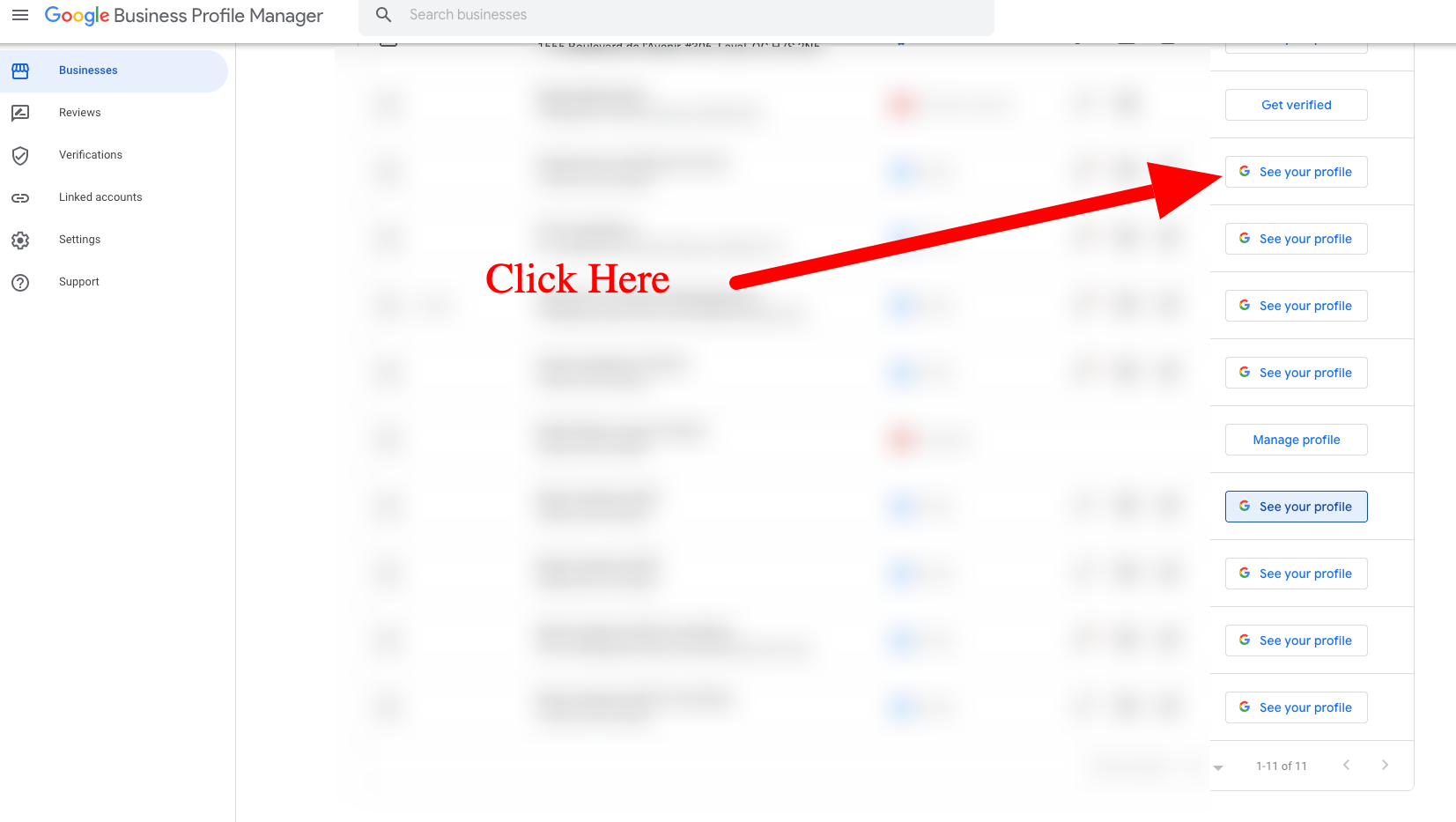
Step 2. Click on See your profile.
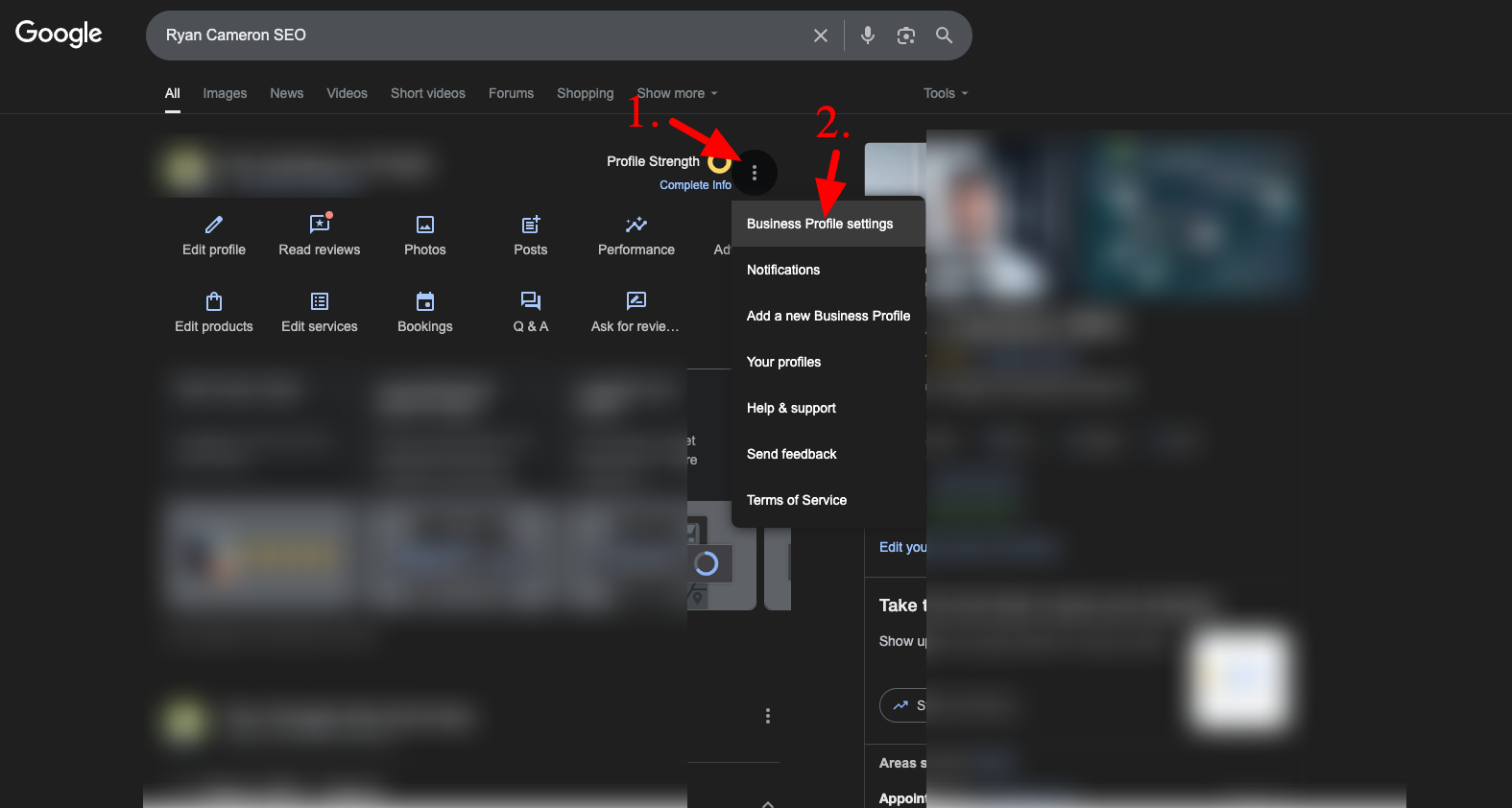
Step 3. Click on the 3 dots and then Business Profile Settings.
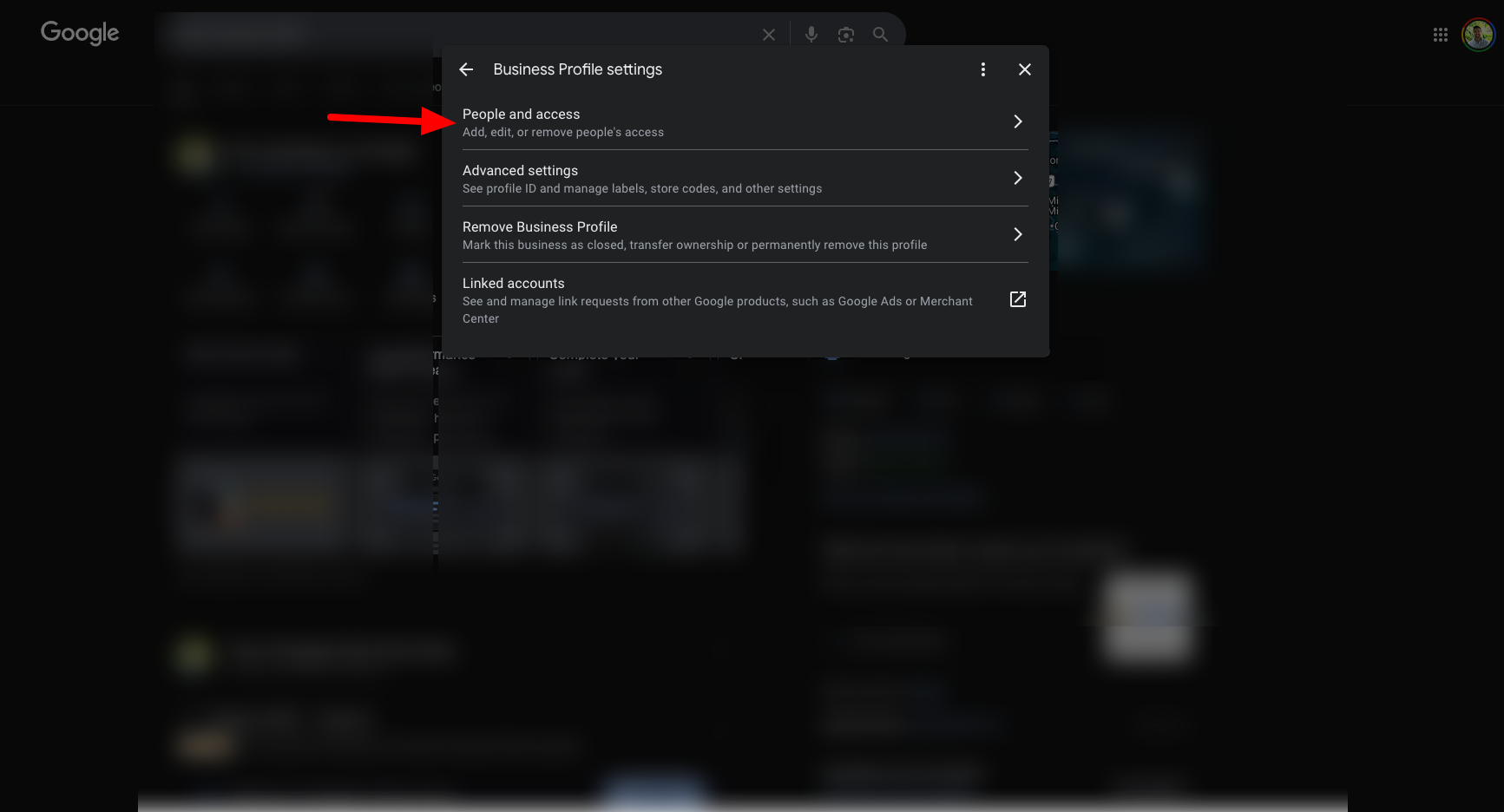
Step 4. Click on People and access.
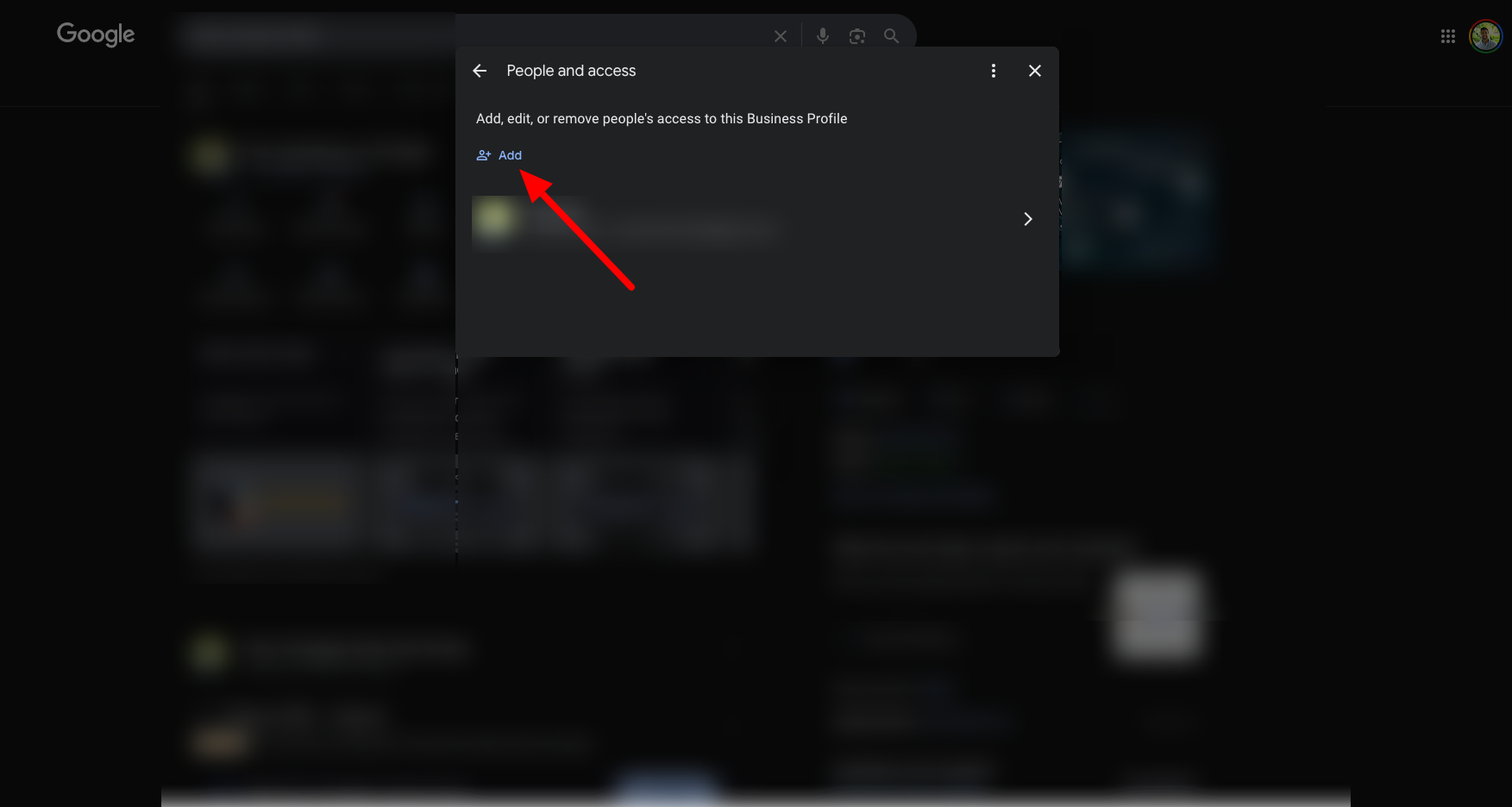
Step 5. Click on Add.

Step 1. Login here: https://business.google.com/ca-en/business-profile/
Step 2. Click on See your profile.
Step 3. Click on the 3 dots and then Business Profile Settings.
Step 4. Click on People and access.
Step 5. Click on Add.
